Charge & choose your unit.
Charge the radar, power it on, and select MPH or KPH before starting.




Original Potent photography. App screens may differ.
Find out. Then chase your best.
Measure your shot speed, compare your attempts, and bring a new challenge to shooting practice.
Shipping options and applicable taxes are shown at checkout.
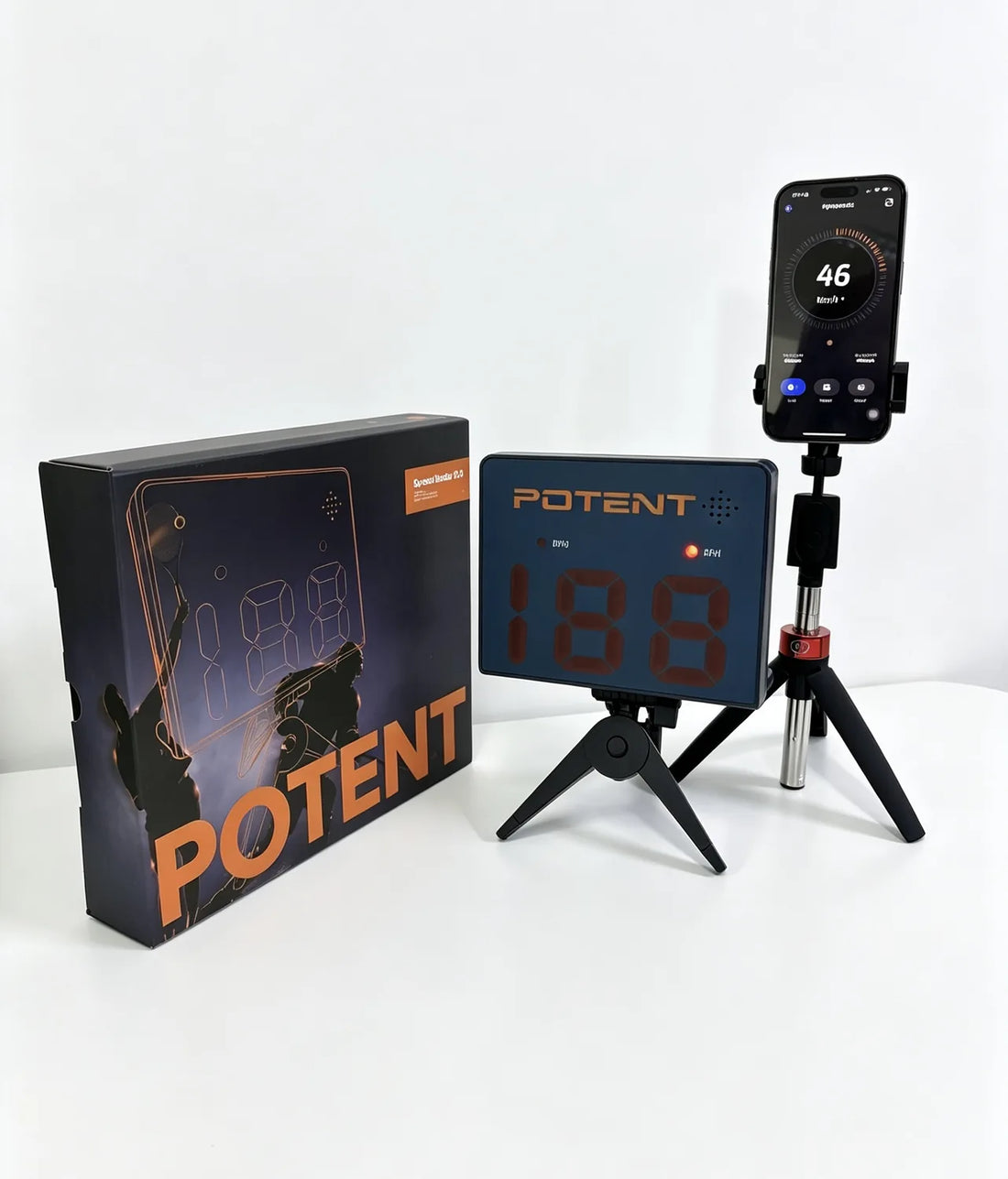
A digital readout for your shot.
Audible speed announcements.
Compare attempts. Take another shot.
01 / See it in action
Add a clear point of reference to shooting practice. See how the radar fits into a session, then put your own shot to the test.
The video could not be played here.
02 / Add another dimension
Use the radar on its own. Connect to Myspeedz for training modes.
Connect to Myspeedz to bring a single-player session or a two-player challenge into your shooting routine.
Use the single-player view to compare shot-speed readings during your session. Keep your setup consistent when comparing attempts.
Take turns with a teammate and compare two players in the Myspeedz Battle Mode. A different way to give practice a competitive edge.
Get Myspeedz: App Store Google Play
No phone needed for a reading: your speed shows on the radar's display. Myspeedz connects over Bluetooth; on some Android devices the connection can be unstable, and on certain models it can't be fixed.
03 / Make room for your next session
A good reading starts with the right setup. Follow the positioning guide for your training space.
Charge the radar, power it on, and select MPH or KPH before starting.
Aim toward the incoming puck and adjust the angle using the product guide.
Check your reading, reset, and compare your next attempt under the same conditions.
The radar isn’t waterproof—keep it dry. Electric fans, large power lines and fluorescent lights can affect readings. Keep the sensing path and shooting area clear. Use consistent positioning when comparing readings. A speed reading is one part of your training—not a measure of every aspect of your shot.
Read the complete positioning guideHockey families. Players. Coaches.
Share your Speed Radar Gun setup, training station, or on-ice reps for a chance to be featured.
Swipe to explore more setups
From the people putting in the work
4.4 out of 5 from 20 reviews.
Featured reviews · selected by Potent
It works great and makes practicing fun.
This little thing is awesome. we use it indoors and outdoors and it works great! It way better than trying to hold a radar gun and trying to catch.
We love the voice mode. Don't have to look at the number, and it seems accurate.
I think it would be helpful to have a stand for this product similar to Joby camera stand. Other than that the myspeedz app and sensor work well and are easy to setup!
One word to describe the impact of the SPEED RADAR GUN 2.0 on my training: transformational. With this device, I can now accurately measure the speed and strength of my shots, which is crucial for gauging my progress with my Coach. It has been instrumental in helping me fine-tune my technique and focus on areas that need improvement. As a result, I've witnessed a significant boost in my shot's power and velocity.
Works great. The stand could be more stable, but overall it works great!!
04 / Before your first shot
Need help checking your training setup? Talk to the Potent team before you order.
Product help & supportPlace the radar on its tripod directly behind the net, facing the incoming puck. Adjust its angle and keep the sensing path clear. Keep people out of the shooting area and follow the complete setup instructions.
Shoot from within 33 ft (10 m) of the radar and at least 16 ft (5 m) away from it. If readings look much higher than expected, the radar may be picking up your stick—move it a little further from the release point or slightly off-center.
20–199 km/h (about 13–124 mph). Detection works best above 15 mph.
No. The radar works on its own: your speed shows on its display after each shot, in MPH or KPH. The Myspeedz app is optional and adds live speed on your phone, solo and two-player Battle modes, and basic session stats.
The radar, a tripod, a phone stand and a USB charging cable.
On Android, the app asks for location and Bluetooth access during setup; on iPhone, it asks for Bluetooth access. Bluetooth connection can be unstable on some Android devices, and on certain models it can’t be fixed—if that happens, use a different compatible phone or tablet, or read your speed on the radar's display. If the radar disconnects, the current session in the app may be cleared.
Do not assume a screen, tarp or goalie will work with the same positioning as an open net. Obstructions can affect sensing. Electric fans, large power lines and fluorescent lights can also affect readings. Check your specific training setup with Potent before ordering for a covered target.
It has a built-in rechargeable battery that charges over USB: about 3–4 hours for a full charge and 6–8 hours of continuous use. Charge it fully before each session—a low battery can cause missed or incorrect readings. The radar isn’t waterproof.
Four training balls: a wooden speed ball, a smart sensor ball, an iron weight ball and a puck speed ball. While the offer is shown above the Add to cart button, the set is added to your cart at no charge with your radar.
Delivery options and charges depend on the order and destination and are shown at checkout. Read the current shipping and returns policies linked near the purchase button.
POTENT / TRAINING WITH PURPOSE
A number to measure. A new challenge to come back to.